ScrollWindow
Reference for the UI Kit 4.0.0 ScrollWindow component: scrollable, masked content areas for lists, menus, and long-form text in SPECS Lenses, with snapping and edge behavior.
- Snapchat: not supported
- SPECS: fully supported
- Camera Kit Web: not supported
- Camera Kit Mobile: not supported
- SnapchatNot supported
- SPECSFully supported
- Camera Kit WebNot supported
- Camera Kit MobileNot supported
The UI Kit ScrollWindow component is a basic scrolling interaction solution for SPECS. Children
of the ScrollWindow's scene object are masked into its window size (windowSize) and can be
scrolled through its scroll dimensions (scrollDimensions). By default (Content Origin set to
Center and Scroll Position at 0, 0), the window first shows the content as you laid it out
around the scene object's origin.
To add a scroll bar to a ScrollWindow, see ScrollBar.
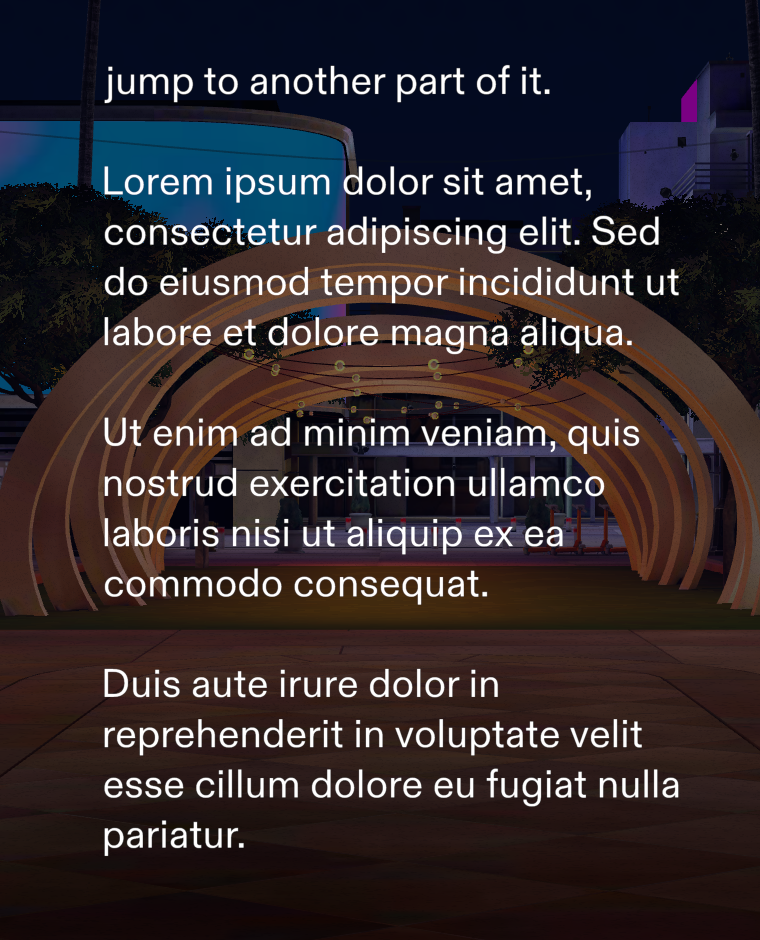
ScrollWindow Inspector properties
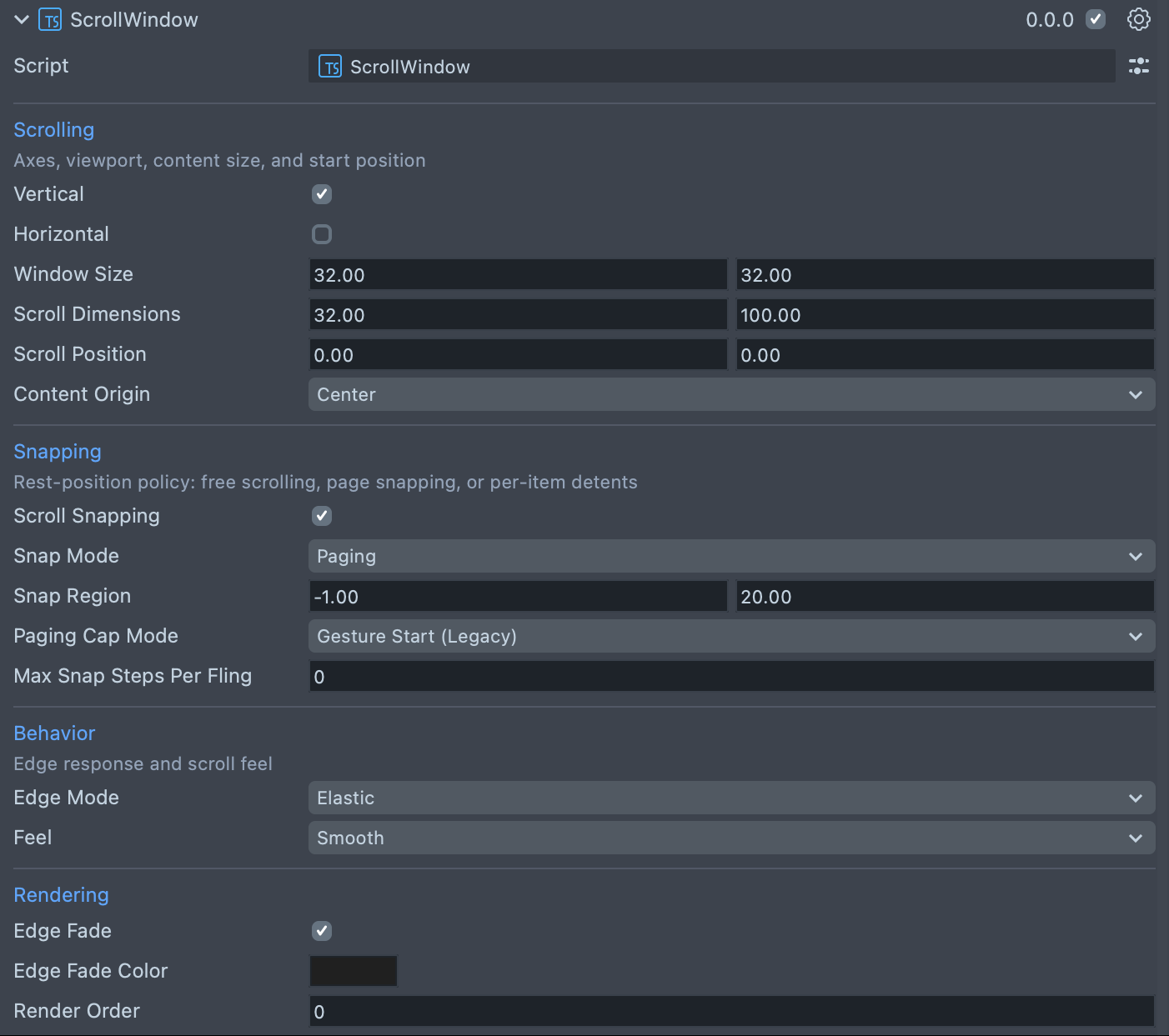
The Inspector shows the ScrollWindow's properties in four sections: Scrolling, Snapping, Behavior, and Rendering.
| Property | Description |
|---|---|
| Vertical | Enables vertical scrolling. On by default. |
| Horizontal | Enables horizontal scrolling. Off by default. |
| Window Size | Defines the size of the viewport in local space centimeters. The default is 32 × 32. To change it from code, set the windowSize property. |
| Scroll Dimensions | Defines the size of the scrollable area. The default is 32 × 100. Use -1 on an axis for unbounded scrolling. To change it from code, set the scrollDimensions property. |
| Scroll Position | The initial scroll position, in local units, anchored at the top left. The default is 0, 0. |
| Content Origin | Where the content's 0, 0 sits in the viewport: Center (the default), where what you lay out around the origin is the initial view, or Top Left, where 0, 0 is the viewport's top-left corner and content flows right and down. Set it before the ScrollWindow initializes; it can't change afterward. |
| Scroll Snapping | Enables the ScrollWindow's scroll snapping behavior. If snapping is enabled it adds "sticking points" that the ScrollWindow automatically scrolls to and stops on when an interaction ends. Off by default (free momentum scrolling). |
| Snap Mode | (shows if Scroll Snapping is checked) Paging (the default) projects the release position through the fling; Detent advances by the gesture's direction and re-snaps when idle, so the view always rests on a snap point. |
| Snap Region | (shows if Scroll Snapping is checked) Defines the regions that the ScrollWindow snaps to: the size of each snap segment on each axis, in local units. |
| Paging Cap Mode | (shows if Scroll Snapping is checked; Paging only) Gesture Start (Legacy) (the default) caps the final target from where the gesture started; Release Page (Cap at Release) caps it from the page nearest the release. |
| Max Snap Steps Per Fling | (shows if Scroll Snapping is checked) The most snap steps one fling can travel. The default, 0, means unlimited. |
| Edge Mode | Elastic (the default) lets the content scroll past the bounds with a rubber band and spring back; Clamped stops hard at the bounds. |
| Feel | Smooth (the default) is a long glide; Crisp is a short glide with a firm feel. |
| Edge Fade | Fades the content out around the edges of the window, toward Edge Fade Color. Off by default. |
| Edge Fade Color | (shows if Edge Fade is checked) The color the edge fade blends to. The default is a dark gray (32, 32, 32 out of 255); match it to your backing panel's color. |
| Render Order | (shows if Edge Fade is checked) The render order of the edge fade overlay. Leave it at 0 unless you need the fade in a specific place relative to other UI. |
Create a ScrollWindow from a script
The script below creates a column of text, then a ScrollWindow on the same scene object that masks
it to a 15 × 20 cm window and scrolls it vertically. Set Content Origin (contentOrigin)
before you call initialize() if you need Top Left; windowSize, scrollDimensions,
vertical, and horizontal can be set before or after.
- TypeScript
- JavaScript
import { ScrollWindow } from 'UIKit.lspkg/Scripts/Components/ScrollWindow/ScrollWindow';

/*
 * Example script for the ScrollWindow component.
 * It creates a scroll window and sets its size and scroll directions.
 * It also creates a text object and sets its size and style.
 */

@component
export class ExampleScrollWindowScript extends BaseScriptComponent {
  onAwake() {
    this.createContent();
    const scrollWindow = this.sceneObject.createComponent(
      ScrollWindow.getTypeName()
    ) as ScrollWindow;
    scrollWindow.initialize();
    scrollWindow.windowSize = new vec2(15, 20);
    scrollWindow.scrollDimensions = new vec2(15, 80);
    scrollWindow.vertical = true;
    scrollWindow.horizontal = false;
  }

  createContent() {
    const child = global.scene.createSceneObject('Child');
    child.setParent(this.sceneObject);
    const text = child.createComponent('Text');
    text.text =
      'Lorem ipsum dolor sit amet, consectetur adipiscing elit. Sed do eiusmod tempor incididunt ut labore et dolore magna aliqua. \n\n';
    text.text = text.text.repeat(5);
    text.size = 60;
    text.horizontalOverflow = HorizontalOverflow.Wrap;
    text.horizontalAlignment = HorizontalAlignment.Left;
    const screenTransform = child.createComponent('ScreenTransform');
    screenTransform.anchors = Rect.create(-1, 1, -1, 1);
    screenTransform.offsets.setSize(new vec2(12, 20));
    screenTransform.position = new vec3(0, 0, 0);
  }
}
// Import required modules
const ScrollWindow =
  require('UIKit.lspkg/Scripts/Components/ScrollWindow/ScrollWindow').ScrollWindow;

/**
 * Example script for the ScrollWindow component.
 * It creates a scroll window and sets its size and scroll directions.
 * It also creates a text object and sets its size and style.
 */

function onAwake() {
  createContent();
  const scrollWindow = script.sceneObject.createComponent(
    ScrollWindow.getTypeName()
  );
  scrollWindow.initialize();
  scrollWindow.windowSize = new vec2(15, 20);
  scrollWindow.scrollDimensions = new vec2(15, 80);
  scrollWindow.vertical = true;
  scrollWindow.horizontal = false;
}

function createContent() {
  const child = global.scene.createSceneObject('Child');
  child.setParent(script.sceneObject);
  const text = child.createComponent('Text');
  text.text =
    'Lorem ipsum dolor sit amet, consectetur adipiscing elit. Sed do eiusmod tempor incididunt ut labore et dolore magna aliqua. \n\n';
  text.text = text.text.repeat(5);
  text.size = 60;
  text.horizontalOverflow = HorizontalOverflow.Wrap;
  text.horizontalAlignment = HorizontalAlignment.Left;
  const screenTransform = child.createComponent('ScreenTransform');
  screenTransform.anchors = Rect.create(-1, 1, -1, 1);
  screenTransform.offsets.setSize(new vec2(12, 20));
  screenTransform.position = new vec3(0, 0, 0);
}

// Start the script
onAwake();