ScrollBar
Reference for the UI Kit 4.0.0 ScrollBar component: a scroll bar that shows and drives the position of a ScrollWindow in a SPECS Lens, set up in the Inspector or with setScrollWindow().
- Snapchat: not supported
- SPECS: fully supported
- Camera Kit Web: not supported
- Camera Kit Mobile: not supported
- SnapchatNot supported
- SPECSFully supported
- Camera Kit WebNot supported
- Camera Kit MobileNot supported
The UI Kit ScrollBar component is a helper component for ScrollWindow: it
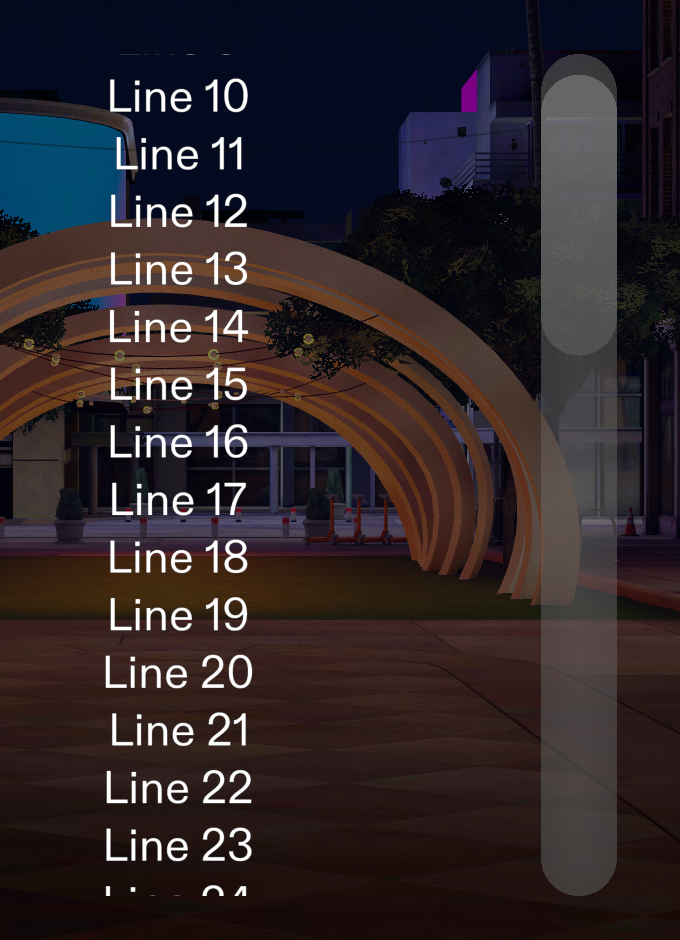
shows how far a ScrollWindow is scrolled and lets people drag to scroll it. A ScrollBar needs only
a ScrollWindow. It creates and manages its own internal Slider, so you don't add a Slider
yourself. A useful setup is a "Scroll Parent" object with two objects as children: an object with
the ScrollWindow and an object with the ScrollBar.
A ScrollBar always draws along its own object's X axis, whatever its Orientation. For a vertical bar, rotate the ScrollBar's object 90 degrees about Z. Its orientation must match a scrolling direction of its ScrollWindow: a vertical bar needs a ScrollWindow with Vertical on, and a horizontal bar one with Horizontal on.
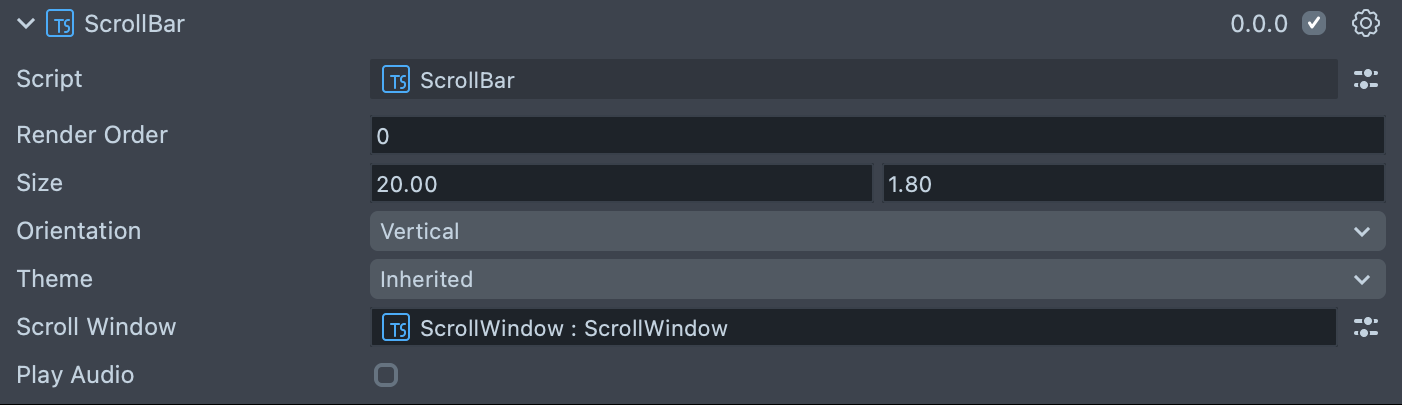
ScrollBar Inspector properties
| Property | Description |
|---|---|
| Render Order | Sets the renderOrder of the scroll bar's visuals. |
| Size | The length (X) and thickness (Y) of the bar. The default is 20 × 1.8. |
| Orientation | Which scroll direction of the ScrollWindow the ScrollBar follows: Vertical (the default) or Horizontal. |
| Theme | Inherited (the default, follows the global theme) or System 3.0. Both draw a gradient thumb that hides when not scrolling. |
| Scroll Window | Sets which ScrollWindow the ScrollBar controls. Optional when you give the bar its window from code with setScrollWindow(). |
| Play Audio | Turns on the built-in audio cues. Off by default. |
Create a ScrollBar from a script
To build a ScrollBar from code, create it and call setScrollWindow(scrollWindow) before the bar
starts; call setOrientation() and setThemeOverride() then too if you need them. The bar builds
its slider and visuals once, when it starts with a window (or as soon as it gets one), and these
setters do nothing after that. Don't set the bar's internal fields from code.
The script below creates a ScrollWindow with a column of text, then a vertical ScrollBar beside it.
- TypeScript
import { ScrollWindow } from 'UIKit.lspkg/Scripts/Components/ScrollWindow/ScrollWindow';
import { ScrollBar } from 'UIKit.lspkg/Scripts/ScrollBar';

/*
 * Example script for the ScrollBar component.
 * It creates a ScrollWindow with text content,
 * and then creates a ScrollBar and gives it the ScrollWindow.
 */

@component
export class ExampleScrollBarScript extends BaseScriptComponent {
  onAwake() {
    const scrollWindowObject = global.scene.createSceneObject('ScrollWindow');
    scrollWindowObject.setParent(this.sceneObject);
    this.createContent(scrollWindowObject);
    const scrollWindow = scrollWindowObject.createComponent(
      ScrollWindow.getTypeName()
    ) as ScrollWindow;
    scrollWindow.initialize();
    scrollWindow.windowSize = new vec2(15, 20);
    scrollWindow.scrollDimensions = new vec2(15, 80);
    scrollWindow.vertical = true;
    scrollWindow.horizontal = false;

    const scrollBarObject = global.scene.createSceneObject('ScrollBar');
    scrollBarObject.setParent(this.sceneObject);
    // A bar draws along its object's X axis: rotate a vertical bar 90 degrees about Z
    const scrollBarTransform = scrollBarObject.getTransform();
    scrollBarTransform.setLocalPosition(new vec3(9, 0, 0));
    scrollBarTransform.setLocalRotation(quat.fromEulerAngles(0, 0, Math.PI / 2));
    const scrollBar = scrollBarObject.createComponent(
      ScrollBar.getTypeName()
    ) as ScrollBar;
    scrollBar.setScrollWindow(scrollWindow);
  }

  createContent(parent: SceneObject) {
    const child = global.scene.createSceneObject('Child');
    child.setParent(parent);
    const text = child.createComponent('Text');
    text.text =
      'Lorem ipsum dolor sit amet, consectetur adipiscing elit. Sed do eiusmod tempor incididunt ut labore et dolore magna aliqua. \n\n';
    text.text = text.text.repeat(5);
    text.size = 60;
    text.horizontalOverflow = HorizontalOverflow.Wrap;
    text.horizontalAlignment = HorizontalAlignment.Left;
    const screenTransform = child.createComponent('ScreenTransform');
    screenTransform.anchors = Rect.create(-1, 1, -1, 1);
    screenTransform.offsets.setSize(new vec2(12, 20));
    screenTransform.position = new vec3(0, 0, 0);
  }
}
Troubleshooting the UI Kit ScrollBar
A vertical ScrollBar draws sideways
Cause: A ScrollBar always draws along its object's X axis; Orientation only picks which scroll direction of the window it follows.
Fix: Rotate the ScrollBar's object 90 degrees about Z.
A ScrollBar shows nothing and never scrolls
Cause: The bar has no window: Scroll Window isn't assigned in the Inspector and
setScrollWindow() wasn't called, or it was called after the bar built.
Fix: Assign Scroll Window in the Inspector, or call setScrollWindow() before the bar
starts.
Error setting up scrollbar: ScrollWindow orientation is not compatible
Error setting up scrollbar: ScrollWindow orientation is not compatible with vertical scrollbar
Cause: The bar's Orientation follows a direction its ScrollWindow doesn't scroll in (the message names horizontal for a horizontal bar).
Fix: Turn on Vertical (or Horizontal) on the ScrollWindow, or change the bar's Orientation to match.
Related pages for the UI Kit ScrollBar
- ScrollWindow: the scrolling area a ScrollBar follows.
- Slider: the component a ScrollBar uses internally for its knob and track.