Edge Functions
Deploy a Snap Cloud edge function from the dashboard and call it from a SPECS Lens, with a sum example and an image round trip through Storage.
- Snapchat: not supported
- SPECS: fully supported
- Camera Kit Web: not supported
- Camera Kit Mobile: not supported
- SnapchatNot supported
- SPECSFully supported
- Camera Kit WebNot supported
- Camera Kit MobileNot supported
Edge functions are serverless functions in your Snap Cloud project that run in response to requests from a Lens. They're deployed at the edge of the network, close to the user's geographical location, which minimizes latency for users of your Lens around the world. Use them for logic that must run on a server: work that needs a secret key, calls to third-party services, or processing a Lens can't do itself. This guide deploys a function that adds two numbers, calls it from a Lens, then builds a function that round-trips an image through Storage.
For the full reference, see the Snap Cloud documentation site.
Before you start
- Finish Get Started: a Snap Cloud project, its
SupabaseProjectasset, and theSnapCloudStarterscript from Create the client and sign in. - Open your project's dashboard: see Open the Snap Cloud dashboard.
Edge functions run in Deno
Edge functions are written in TypeScript and run in Deno, not Node.js. Import the Supabase runtime types from jsr:@supabase/functions-js/edge-runtime.d.ts, and the Supabase client, when a function needs one, from jsr:@supabase/supabase-js@2. The function's work goes in the handler you pass to Deno.serve.
Deploy the sum edge function from the dashboard
The sum function takes two numbers and returns their sum.
-
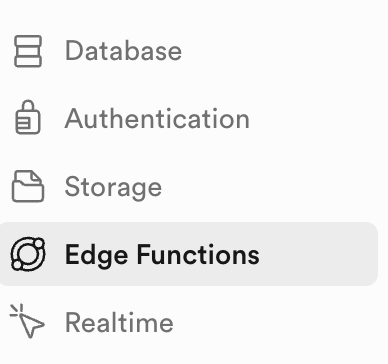
In the dashboard's left sidebar, select Edge Functions.
-
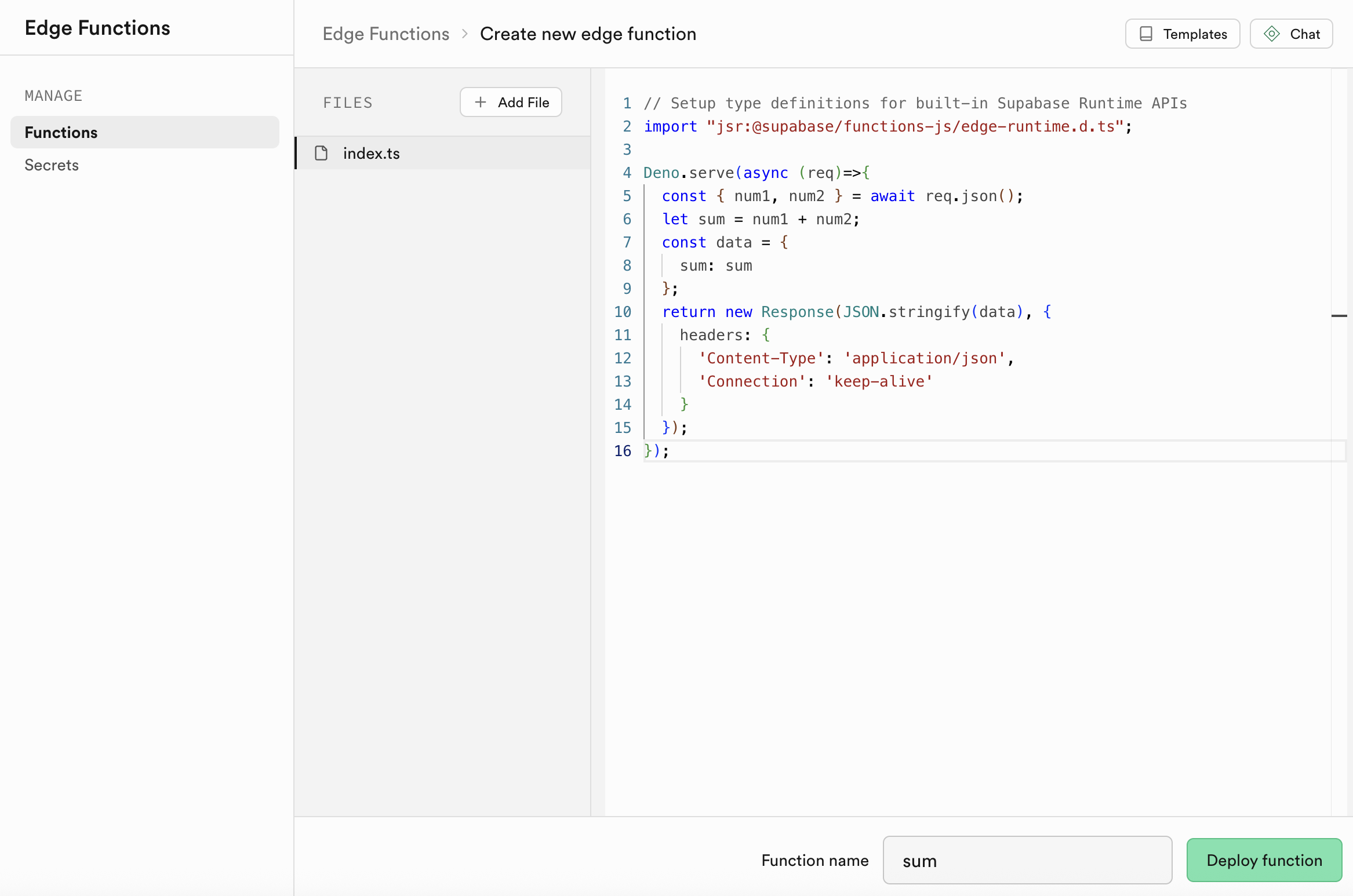
Select Deploy a new function, then Via Editor.
-
Replace the code in the editor with this function:
// Setup type definitions for built-in Supabase Runtime APIsimport 'jsr:@supabase/functions-js/edge-runtime.d.ts';Deno.serve(async (req) => {const { num1, num2 } = await req.json();let sum = num1 + num2;const data = {sum: sum,};return new Response(JSON.stringify(data), {headers: {'Content-Type': 'application/json',Connection: 'keep-alive',},});}); -
Name the function
sum. -
Select Deploy function. The function's configuration page opens.
-
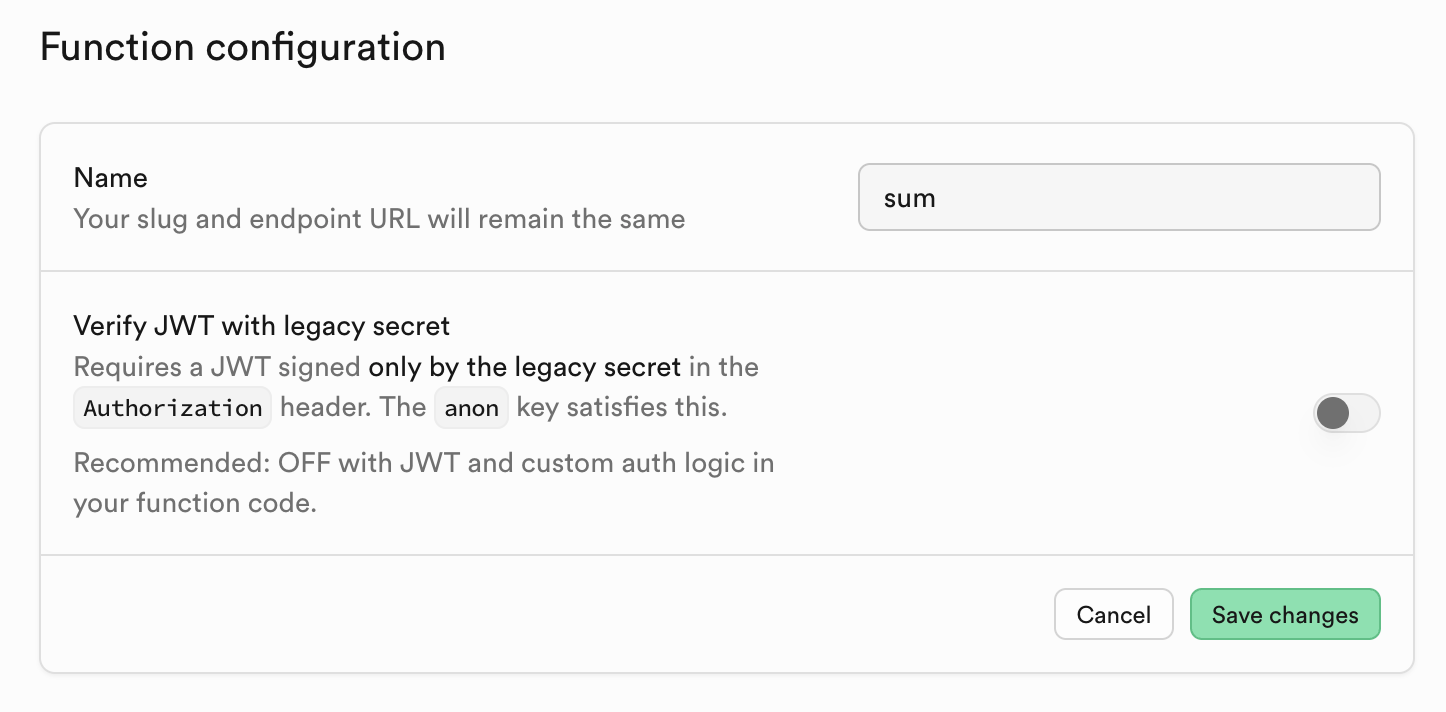
Turn off Verify JWT with legacy secret. The Supabase panel gives the same instruction when you import a project's credentials. For details, see the Snap Cloud API Keys guide.
-
Select Save changes.
Call the sum edge function from a Lens
client.functions.invoke(name, { body }) sends the body to the function and returns its JSON response as data. Add these members to the SnapCloudStarter script from Get Started, replacing its empty onSignedIn(). They use the starter's client member.
- TypeScript
- JavaScript
  @input
  @hint('Edge Function name deployed in your Snap Cloud project')
  functionName: string = 'sum';

  @input
  @hint('First number to add')
  num1: number = 10;

  @input
  @hint('Second number to add')
  num2: number = 25;

  async onSignedIn() {
    this.log('Calling Edge Function...');
    await this.callEdgeFunction();
  }

  async callEdgeFunction() {
    this.log('--- EDGE FUNCTION EXAMPLE START ---');
    this.log('Calling function: ' + this.functionName);
    this.log('Input: num1=' + this.num1 + ', num2=' + this.num2);

    try {
      const { data, error } = await this.client.functions.invoke(
        this.functionName,
        {
          body: {
            num1: this.num1,
            num2: this.num2,
          },
        }
      );

      if (error) {
        this.log('FUNCTION CALL FAILED: ' + JSON.stringify(error));
        return;
      }

      if (data) {
        this.log('FUNCTION CALL SUCCESS');
        this.log('Result: ' + JSON.stringify(data));

        if (data.sum !== undefined) {
          const result = this.num1 + ' + ' + this.num2 + ' = ' + data.sum;
          this.log('Calculation: ' + result);
        }
      }
    } catch (err) {
      this.log('Exception calling function: ' + err);
    }

    this.log('--- EDGE FUNCTION EXAMPLE COMPLETE ---');
  }

  // Calls any function by name with any parameters; returns its data or null
  public async invokeFunction(fn: string, params: any) {
    if (!this.client) {
      this.log('Client not initialized');
      return null;
    }

    const { data, error } = await this.client.functions.invoke(fn, {
      body: params,
    });

    if (error) {
      this.log('Function error: ' + JSON.stringify(error));
      return null;
    }

    return data;
  }

  private log(message: string) {
    print('[EdgeFunctionExample] ' + message);
  }
// Add below the starter's supabaseProject input:
//@input string functionName = "sum" {"hint":"Edge Function name deployed in your Snap Cloud project"}
//@input float num1 = 10 {"hint":"First number to add"}
//@input float num2 = 25 {"hint":"Second number to add"}

// Add inside the SnapCloudStarter function, replacing this.onSignedIn:
this.onSignedIn = async function () {
  this.log('Calling Edge Function...');
  await this.callEdgeFunction();
};

this.callEdgeFunction = async function () {
  this.log('--- EDGE FUNCTION EXAMPLE START ---');
  this.log('Calling function: ' + script.functionName);
  this.log('Input: num1=' + script.num1 + ', num2=' + script.num2);

  try {
    const { data, error } = await this.client.functions.invoke(
      script.functionName,
      {
        body: {
          num1: script.num1,
          num2: script.num2,
        },
      }
    );

    if (error) {
      this.log('FUNCTION CALL FAILED: ' + JSON.stringify(error));
      return;
    }

    if (data) {
      this.log('FUNCTION CALL SUCCESS');
      this.log('Result: ' + JSON.stringify(data));

      if (data.sum !== undefined) {
        const result = script.num1 + ' + ' + script.num2 + ' = ' + data.sum;
        this.log('Calculation: ' + result);
      }
    }
  } catch (err) {
    this.log('Exception calling function: ' + err);
  }

  this.log('--- EDGE FUNCTION EXAMPLE COMPLETE ---');
};

// Calls any function by name with any parameters; returns its data or null
this.invokeFunction = async function (fn, params) {
  if (!this.client) {
    this.log('Client not initialized');
    return null;
  }

  const { data, error } = await this.client.functions.invoke(fn, {
    body: params,
  });

  if (error) {
    this.log('Function error: ' + JSON.stringify(error));
    return null;
  }

  return data;
};

this.log = function (message) {
  print('[EdgeFunctionExampleJS] ' + message);
};
Run the Lens. With the default values, 10 and 25, the Logger shows Calculation: 10 + 25 = 35.
Process a Storage image in an edge function
A function can read and write your project's Storage on the Lens's behalf. This one receives the URL of an image already in Storage, downloads it, uploads the result back to Storage, and returns the new public URL; the Lens then downloads and shows that image. It's the pattern the Edge Functions example in the Snap Cloud Examples package uses.
The function uploads the image unchanged: put your own server-side processing (resizing, filters, a watermark) where the comment says. Deploy it the same way as sum, named process-image. It writes to a bucket named specs-bucket; create the bucket first (see Storage) or change the name.
// Deno edge function: process-image
import 'jsr:@supabase/functions-js/edge-runtime.d.ts';
import { createClient } from 'jsr:@supabase/supabase-js@2';

Deno.serve(async (req) => {
  const { imageUrl } = await req.json();
  if (!imageUrl) {
    return new Response(JSON.stringify({ error: 'imageUrl required' }), {
      status: 400,
    });
  }

  // Download the source image
  const imageResponse = await fetch(imageUrl);
  const imageBuffer = await imageResponse.arrayBuffer();
  const originalSize = imageBuffer.byteLength;

  // (Apply your server-side processing here, for example resize, filter, watermark)

  // Upload the result back to storage
  const supabase = createClient(
    Deno.env.get('SUPABASE_URL')!,
    Deno.env.get('SUPABASE_SERVICE_ROLE_KEY')!
  );
  const outputPath = `processed/${Date.now()}.jpg`;
  await supabase.storage.from('specs-bucket').upload(outputPath, imageBuffer, {
    contentType: 'image/jpeg',
    upsert: true,
  });

  const { data } = supabase.storage
    .from('specs-bucket')
    .getPublicUrl(outputPath);

  return new Response(
    JSON.stringify({
      success: true,
      processedUrl: data.publicUrl,
      originalSize,
      processedSize: imageBuffer.byteLength,
      operations: ['download', 'process', 'upload'],
      storagePath: outputPath,
    }),
    {
      headers: { 'Content-Type': 'application/json', Connection: 'keep-alive' },
    }
  );
});
The function writes to Storage with SUPABASE_SERVICE_ROLE_KEY, which Snap Cloud provides in the function's environment. Never put the service role key in your Lens: the Lens only uses the project's public token.
Pass the image's Storage URL, not its bytes. Sending a URL and letting the function download the file is faster than Base64-encoding the image into the request body, and it stays clear of request size limits.
In the Lens, add these members to the SnapCloudStarter script and call processImage() from onSignedIn(). InternetModule creates a resource from the returned URL and RemoteMediaModule loads it as a texture for an Image component.
  @input functionName: string = 'process-image';
  @input imageUrl: string = ''; // URL of an image already in your Storage bucket
  @input @allowUndefined outputImage: Image;

  async processImage() {
    print('Calling edge function: ' + this.functionName);

    const { data, error } = await this.client.functions.invoke(
      this.functionName,
      {
        body: { imageUrl: this.imageUrl },
      }
    );

    if (error) {
      print('Function error: ' + JSON.stringify(error));
      return;
    }

    if (data?.success && data.processedUrl) {
      print('Processed URL: ' + data.processedUrl);
      print('Operations: ' + data.operations.join(', '));
      this.displayProcessedImage(data.processedUrl);
    }
  }

  displayProcessedImage(url: string) {
    if (!this.outputImage) return;

    const internetModule =
      require('LensStudio:InternetModule') as InternetModule;
    const remoteMediaModule =
      require('LensStudio:RemoteMediaModule') as RemoteMediaModule;

    const resource = internetModule.makeResourceFromUrl(url);
    remoteMediaModule.loadResourceAsImageTexture(
      resource,
      (texture) => {
        this.outputImage.enabled = true;
        this.outputImage.mainPass.baseTex = texture;
        print('Processed image displayed');
      },
      (err) => print('Display error: ' + err)
    );
  }
Related
- Storage: create the bucket the image function reads and writes.
- Basic Setup: the Edge Functions example in the Snap Cloud Examples package.
- Media: uploads that an edge function forwards to an external stitching service.
- CLI: deploy edge functions from a terminal instead of the dashboard.
- Snap Cloud documentation site: the full edge functions reference.