Animation & Rigging
Choose the simplest animation method for the motion you need: transform, skeletal, blend shape, or simulation.
Animation adds life to an AR experience, but more complex animation costs more memory and processing. Use the simplest method that achieves the movement you need.
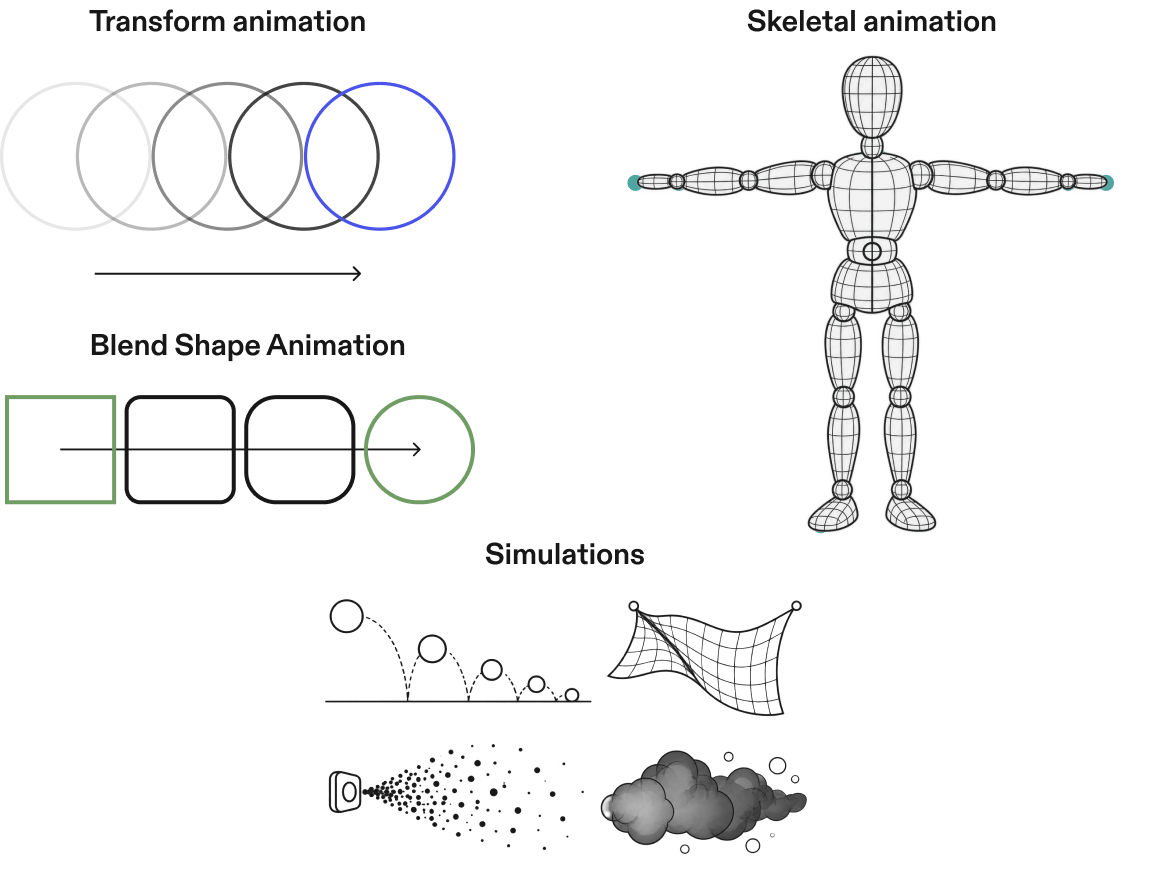
Transform animation
Moves, rotates, or scales an entire object.
Use it for floating, spinning, sliding, bouncing, and other basic object motion.
Skeletal animation
Uses a hierarchy of joints to deform a skinned mesh. Use as few joints as possible.
Use it for characters, creatures, wings, hands, and anything that bends and articulates.
Blend shape animation
Morphs a mesh between predefined shapes by moving its vertices.
Use it for facial expressions, lip sync, and controlled shape changes.
Simulation
Creates dynamic motion from rules rather than predefined keyframes.
Use it for physics-based movement, collisions, gravity, cloth, particles, smoke, sparks, and other procedural effects.