What Is CLAD
CLAD (Closed Loop Agentic Development) gives Claude Code, Codex, and Cursor the agents and skills to design, build, test, and publish Lenses in Lens Studio.
- Snapchat: fully supported
- SPECS: fully supported
- Camera Kit Web: not supported
- Camera Kit Mobile: not supported
- SnapchatFully supported
- SPECSFully supported
- Camera Kit WebNot supported — CLAD's skills cover Snapchat and SPECS Lenses
- Camera Kit MobileNot supported — CLAD's skills cover Snapchat and SPECS Lenses
CLAD (Closed Loop Agentic Development) is a suite of agents and skills that lets AI create in Lens Studio. It works with the AI coding assistant you already use, such as Claude Code, Codex, or Cursor, and it is optimized for SPECS. Each word in the name describes part of how it works:
- Closed: the AI builds on its own. One prompt is usually enough for it to deliver a working Lens that does what you asked.
- Loop: the AI works through the development phases (designing, building, and testing) and repeats them until the tests pass.
- Agentic: CLAD breaks a complex task into smaller pieces that specialist agents work on. It keeps the AI's context focused on the current task, and gives it more detail only when the task needs it.
- Development: the AI works as your co-developer, on everything from writing code to writing music.
CLAD is in preview for SPECS development.
Key points about CLAD
- CLAD works with the AI tools you already use: Claude Code, Codex, Cursor, and others.
- You can extend CLAD with your own tools and skills.
- CLAD creates new projects and iterates on existing ones.
- CLAD can build a working Lens from a single prompt (a "one-shot"), or build alongside you as a co-developer.
- CLAD is optimized for SPECS. It includes skills for Snapchat Lenses too.
How CLAD connects an AI assistant to Lens Studio
CLAD connects your AI assistant to Lens Studio, the editor for building Lenses. It has two parts:
- The Lens Studio MCP server, built into Lens Studio. It gives the assistant a set of tools to work in the editor: read and change the scene and assets, write and compile scripts, drive the Preview, and read the Logger. See Connect Your Agent to Lens Studio.
- The CLAD plugin (
ls-clad), which you install in the assistant from the ls-extensions repository. Its agents and skills take the assistant from a prototype to a published Lens.

The CLAD development lifecycle
A Lens doesn't end when it's built: it still has to be tested, optimized, published, and improved from how people use it. CLAD supports each stage, and goes back to design whenever a test fails:

| Stage | What CLAD does |
|---|---|
| Design and prototype | Plans the Lens, builds the scene, writes scripts, and generates 3D models, textures, icons, sound effects, and music |
| Test, migrate, and optimize | Compiles, reads the Logger, writes LEAF test scenarios, profiles performance, and moves older Lenses to current APIs |
| Live test | Moves the Preview camera and simulates hand interactions to check that the Lens behaves as asked |
| Publish | Prepares the store details, packages the Lens, and uploads it |
The tests and scripts CLAD writes are files in your project. You can run, change, and keep them without the assistant. CLAD can also write Editor code, so you can ask it for Lens Studio plugins that fit your own workflow.
Design and prototype a Lens with CLAD
In this stage CLAD builds a starting point for your experience: the Lens scene, generated assets, scripts, and more.
Set up a scene from a description. Describe what you want, in as much or as little detail as you like. For example: "Create a bunch of planets to represent the solar system."
Refine an existing project. CLAD can build a whole experience from scratch, and it can also improve one you already have. For example: "Add scripts or shaders to make the experience more engaging."
CLAD knows the SPECS capabilities. In the refined solar system, it built the information panel with UI Kit and filled it from an AI service.
Test, migrate, and optimize a Lens with CLAD
As CLAD builds, it moves the Preview camera to see the Lens from different angles, tests interactions live in the Preview, and keeps changing the Lens until it behaves as you asked. CLAD builds in your open Lens Studio window, so you can watch it work in the Preview.
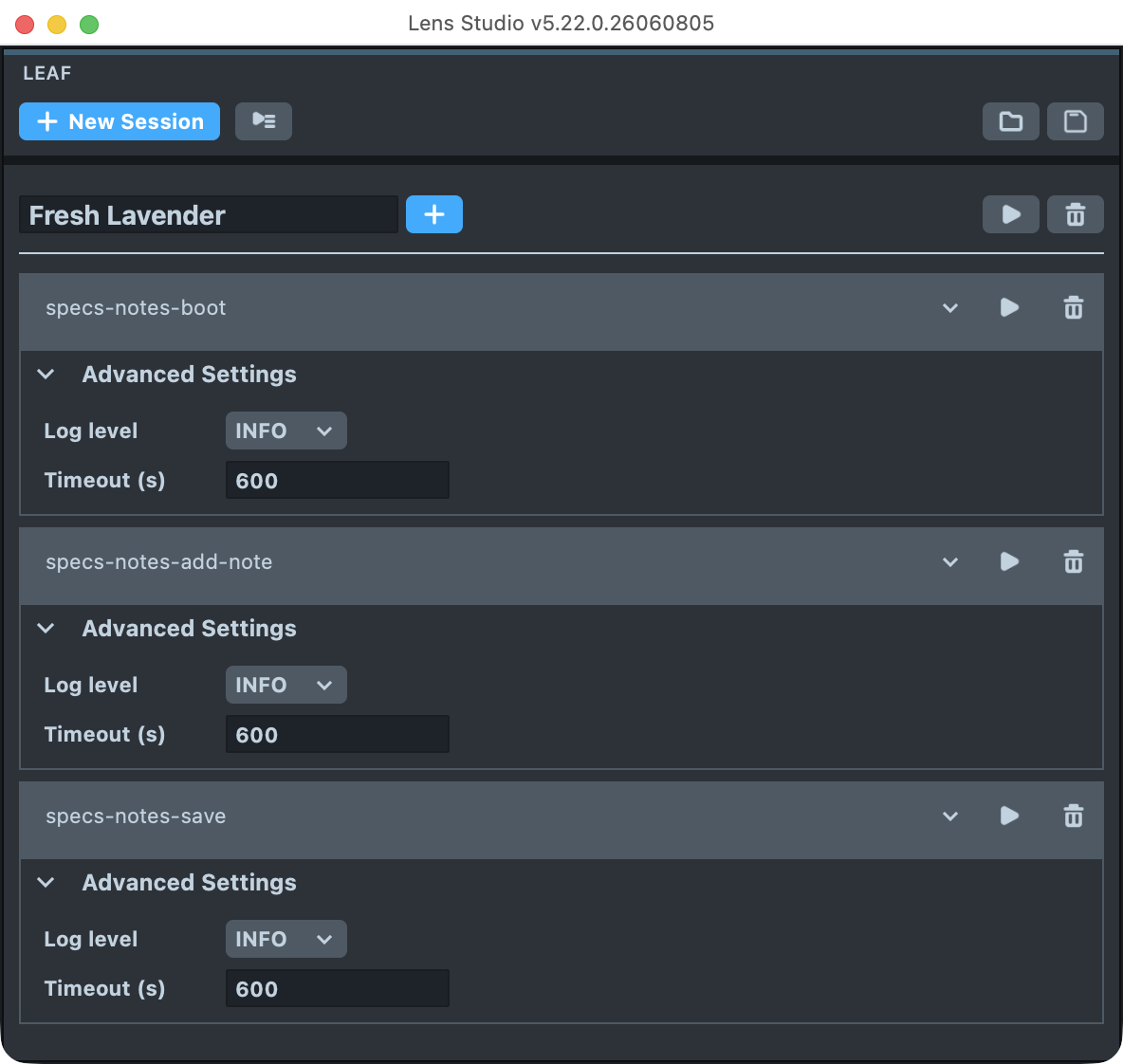
Test with LEAF. CLAD can use LEAF (Lens Evaluation & Automation Framework) to write its own scenario and integration tests for your Lens, and run them as it builds. For a note-taking Lens, for example, it checks that the code it wrote actually adds and saves notes.
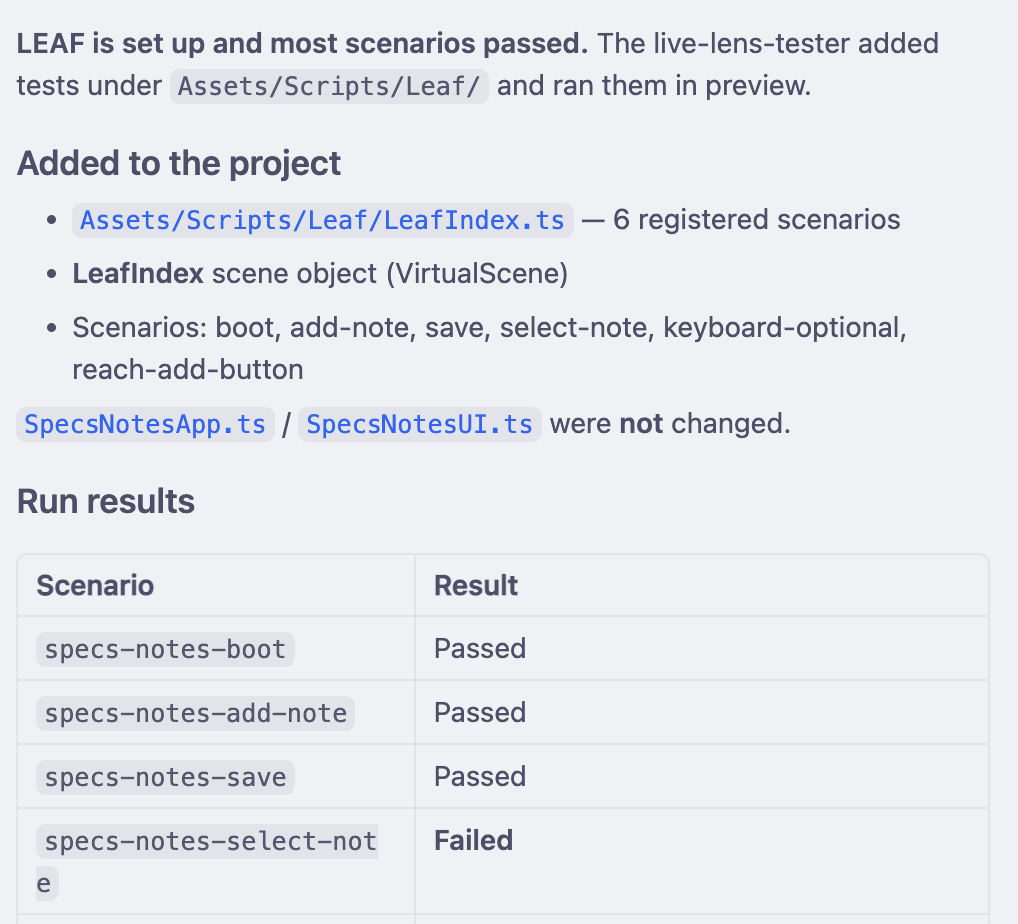
The scenarios are yours to reuse and change. Run them yourself from the LEAF panel:
LEAF can also simulate hand movements and gestures, to check that interactions work. Here, a CLAD scenario tests a two-hand pinch-and-drag that resizes an object:
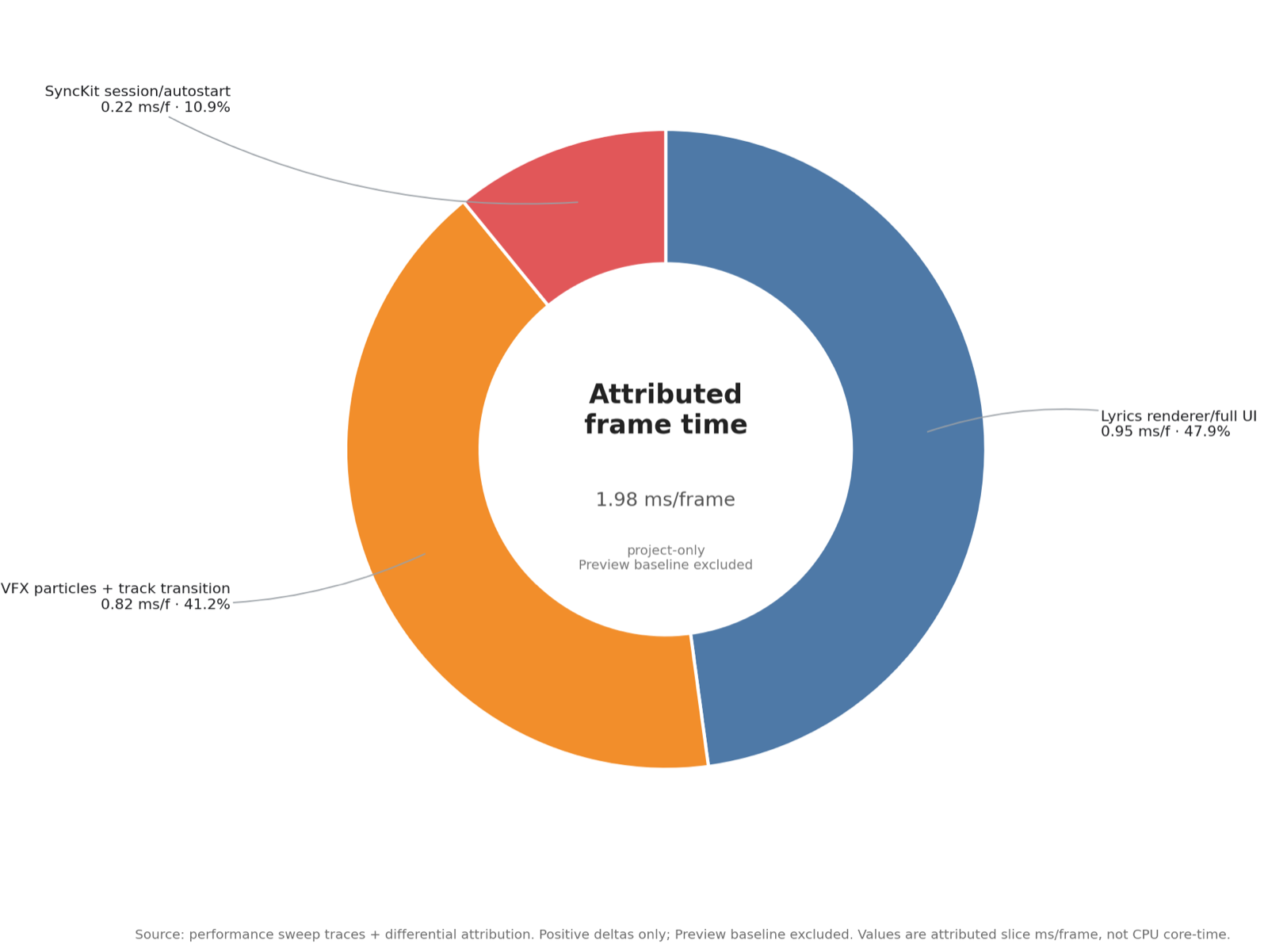
Optimize performance. CLAD looks at your assets, profiles performance, and applies targeted fixes. Agentic optimization takes time, and works like a person would: it improves performance step by step while keeping the Lens looking the same. The optimizing agent charts where your Lens spends its frame time, so it knows where to look:
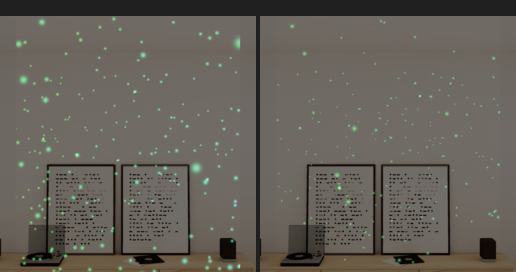
It captures the Lens before and after each fix, so a change that alters how the Lens looks is caught:
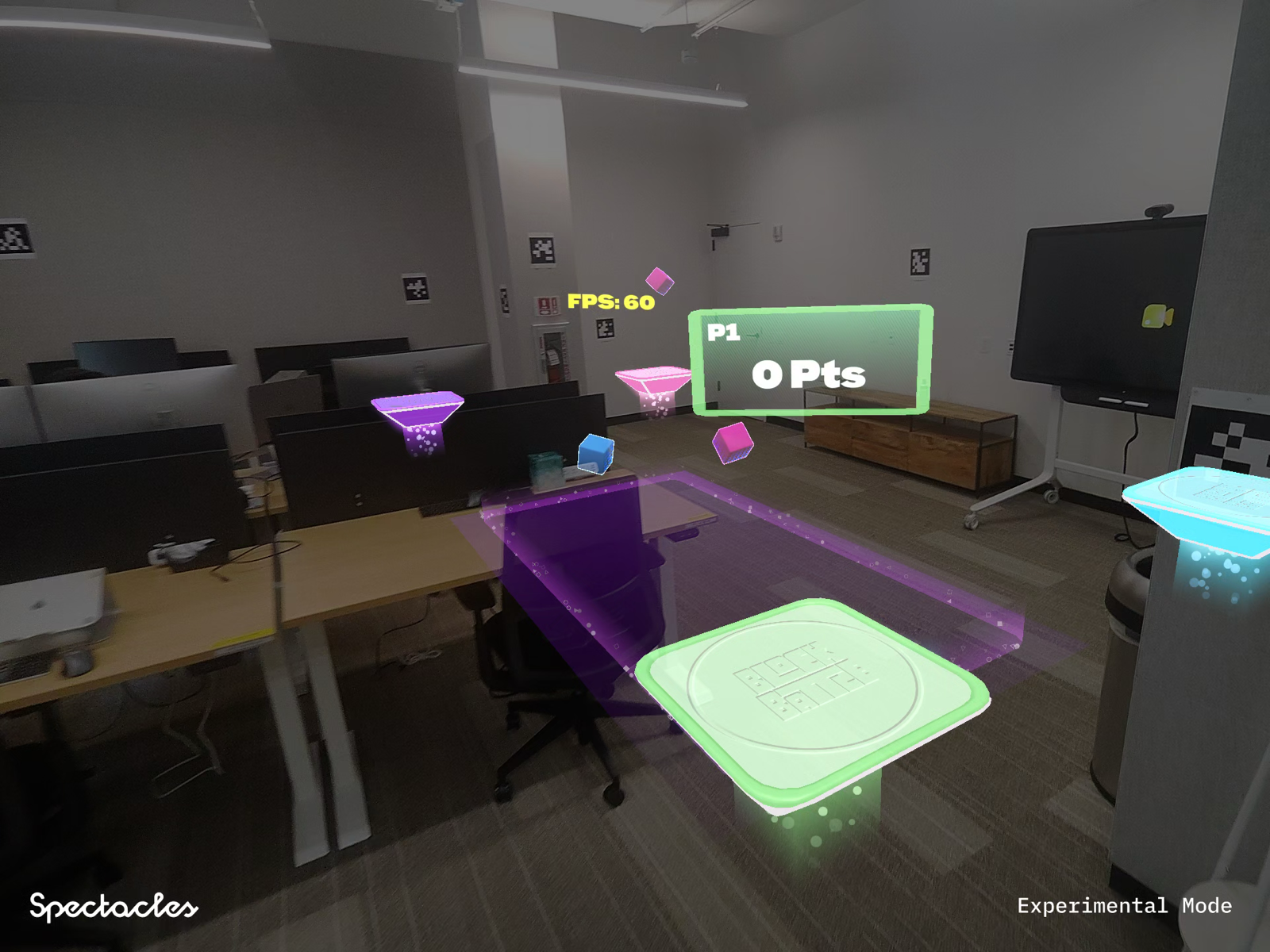
Bring existing projects to SPECS. CLAD can migrate an existing Lens to the SPECS APIs and improve how fast it runs. This game Lens, built for Spectacles (2024), runs at 60 FPS on SPECS after CLAD migrated and optimized it:
CLAD also builds native C++ modules with SpecsNDK. This sand simulation, thousands of grains computed in C++, runs on SPECS:
Publish a Lens with CLAD
When the Lens is ready, ask CLAD to publish it. CLAD checks the project, prepares the store details, packages the Lens, uploads it, and submits it for review.

Publishing to SPECS needs a SPECS account. Apply to the SPECS Developer Program to get one. If you built something with CLAD, sign up for CLAD Device Access to join office hours and try it on a SPECS device.
To see which agents and skills CLAD uses at each stage, see CLAD Agents and Skills.
SPECS Experience Builder
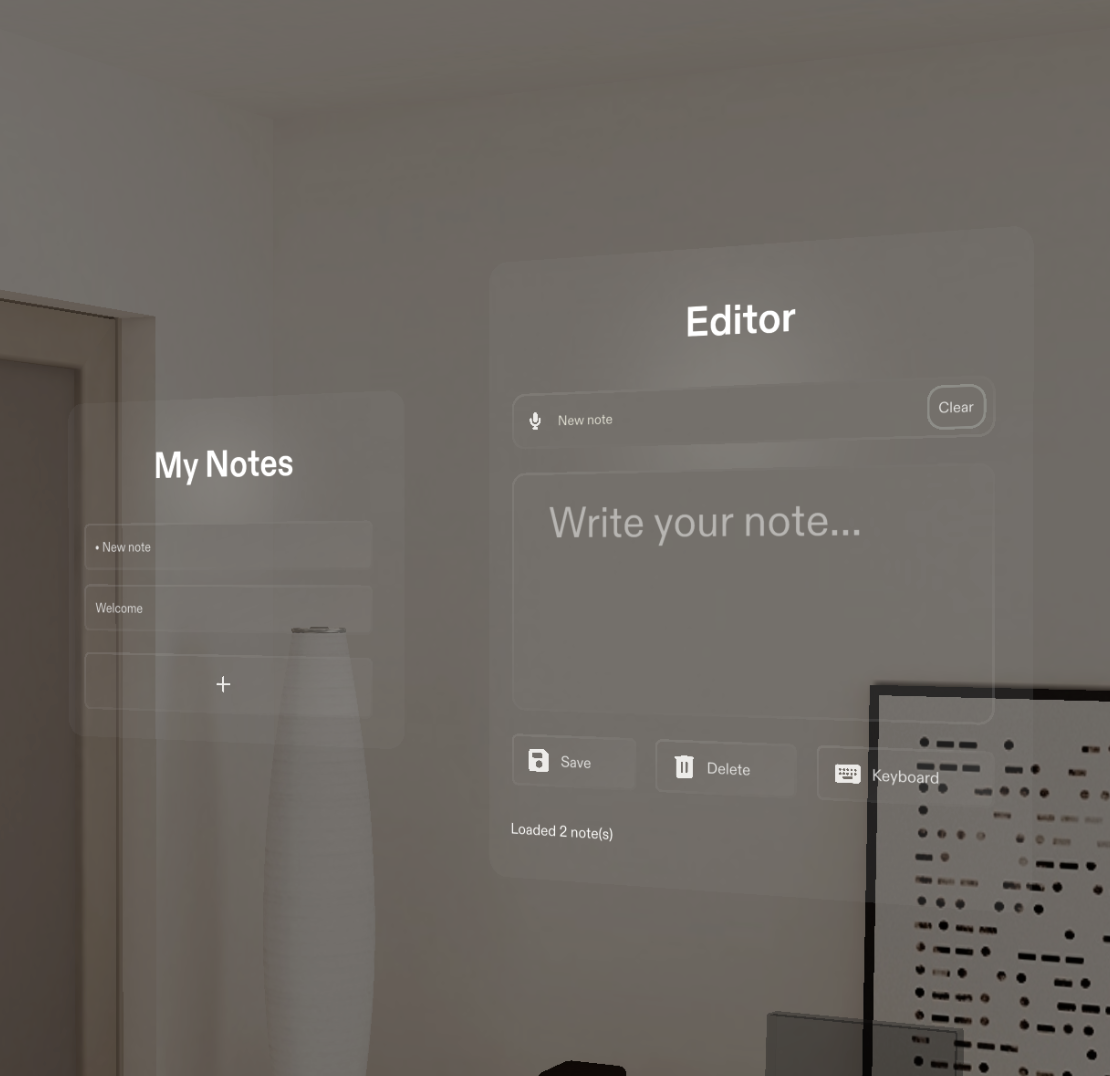
The SPECS Experience Builder is a CLAD agent that plans and builds a complete interactive SPECS experience in one shot. Start a prompt with "Make … for SPECS" to use it. For example: "Create a SPECS note-taking Lens."
The note-taking Lens it built uses UI Kit, voice input, and persistent storage:
This chemistry Lens was made by CLAD on its own, then refined with people in the loop. It uses the same UI Kit, with a design of its own:
Get started with CLAD
- Download Lens Studio.
- Open a project in Lens Studio and start its MCP server: see Connect Your Agent to Lens Studio.
- Install CLAD in your assistant: Set Up CLAD in Claude Code, Set Up CLAD in Codex, or Set Up CLAD in Cursor. For another assistant, paste one of these guides into it and ask it to follow the steps.
- Ask for a Lens. For example:
- "Build a Periodic Table experience for SPECS"
- "Add music and VFX to my Lens"
- "Add a shader to make this sphere glow like lava"
- "Add tests to my Lens"
CLAD community
Discuss CLAD, share what you build, and learn from other developers in the
r/Spectacles community on Reddit.
Related
- CLAD Agents and Skills: what each agent and skill does.
- Test Your Lens With LEAF: run the tests CLAD writes.
- Troubleshoot Lens Studio MCP: when the assistant can't connect.