Experimental APIs
Turn on Experimental APIs in a SPECS Lens project in Lens Studio, and what they mean for publishing and for captures.
- Snapchat: not supported
- SPECS: fully supported
- Camera Kit Web: not supported
- Camera Kit Mobile: not supported
- SnapchatNot supported
- SPECSFully supported
- Camera Kit WebNot supported
- Camera Kit MobileNot supported
Experimental APIs give your Lens access to SPECS features and capabilities that are still in development. They may change or be deprecated without notice, and they don't guarantee backward compatibility in future releases. You can't publish a Lens that uses Experimental APIs to a wider audience: it stays in your project and on your own device.
The API reference marks each experimental API with an Experimental badge.
Turn on Experimental APIs in a SPECS Lens project
- Save your project. Lens Studio can turn on Experimental APIs only in a saved project.
- Open Project Settings, and select General.
- Under API Settings, select Experimental API.

You can't publish the Lens while Experimental API is on.
Captures of a Lens that uses Experimental APIs
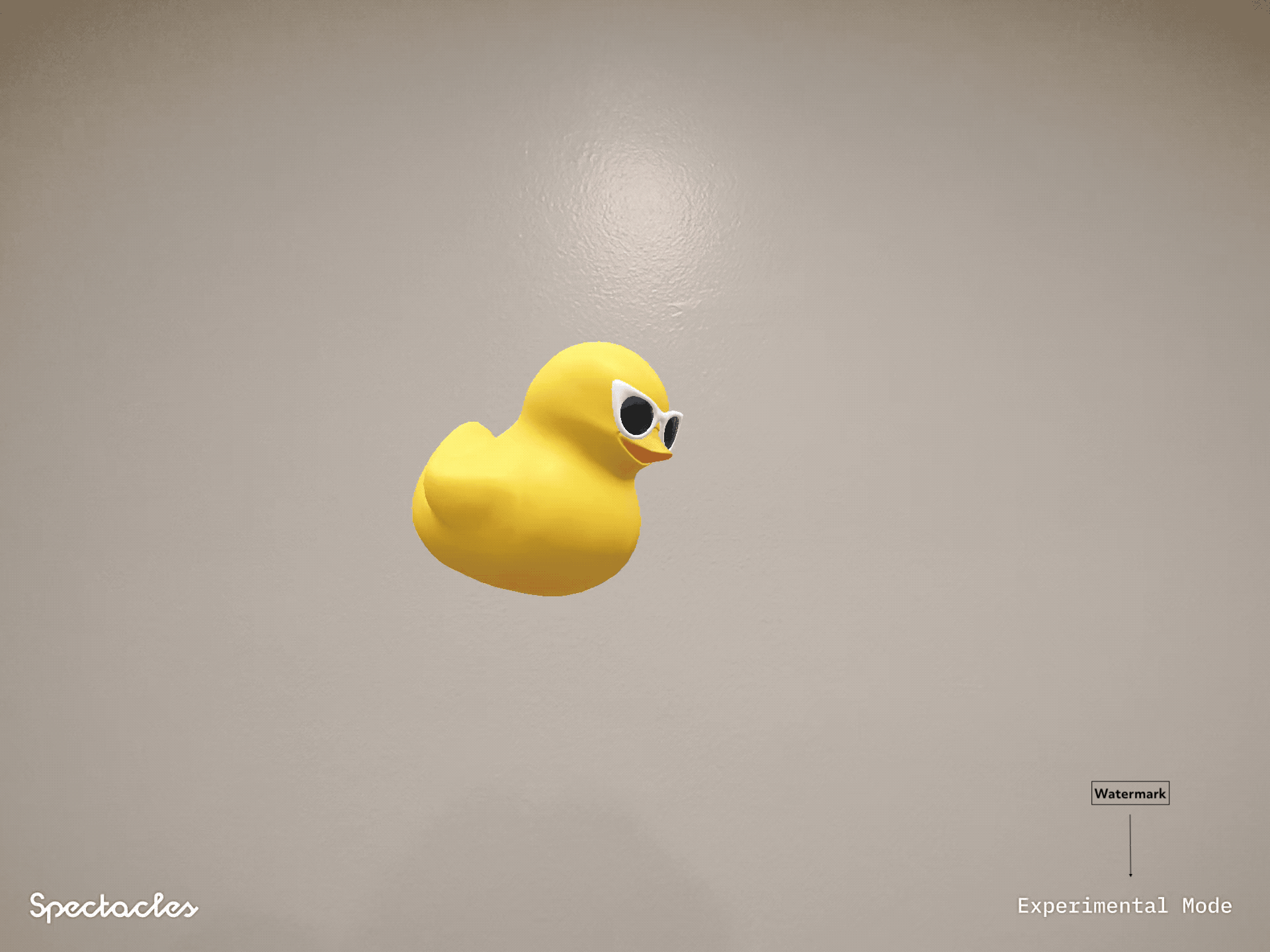
When you record a Lens that uses Experimental APIs, for example as a video or photo capture, the recording shows an "Experimental Mode" watermark.
Removing the watermark from recordings of Lenses that use Experimental APIs is prohibited.
Related
- Configuring Project Settings: the other settings on the General page.
- Permissions Overview: the permissions a SPECS Lens declares.
- Publishing Your Lens: what a Lens needs before you publish it.