Audio Effect
- Snapchat: fully supported
- SPECS: fully supported
- Camera Kit Web: not supported
- Camera Kit Mobile: fully supported
- SnapchatFully supported
- SPECSFully supported
- Capture isn't available yet, so there's no recorded Snap for the effect to apply to
- Camera Kit WebNot supported
- Camera Kit MobileFully supported
This guide walks you through how to add Audio Effects in your Lens. Audio Effects are applied to the audio that the microphone recorded. Audio Effects are only applied after the user records a Snap. You can use audio effects to, for example, pitch shift the user's voice up so that they sound like a cute animal.
On SPECS, Capture isn't available yet, so there's no recorded Snap for an Audio Effect to apply to.
Add an Audio Effect Component
You can add an Audio Effect component on any Scene Object. After selecting the Scene Object, in the Inspector panel, you can select + Add Component -> Audio -> Audio Effect.
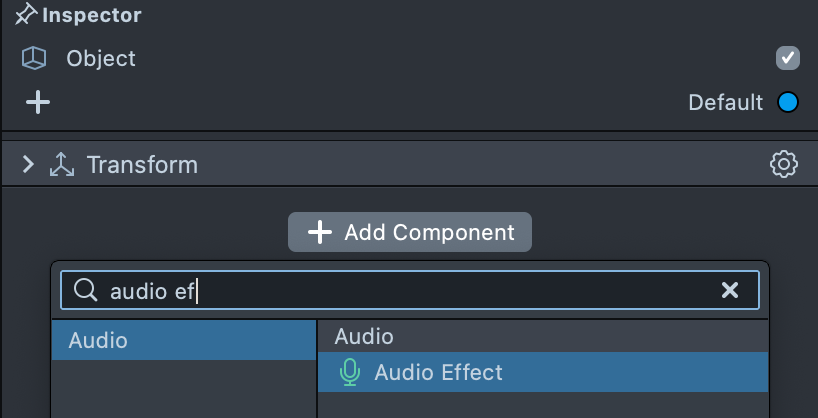
Select Audio Effects
Lens Studio includes a number of built-in audio effects you can apply to your Lens. With the Audio Effect object selected, the Audio Effect can be tuned in the Inspector panel via the Effect Preset dropdown.
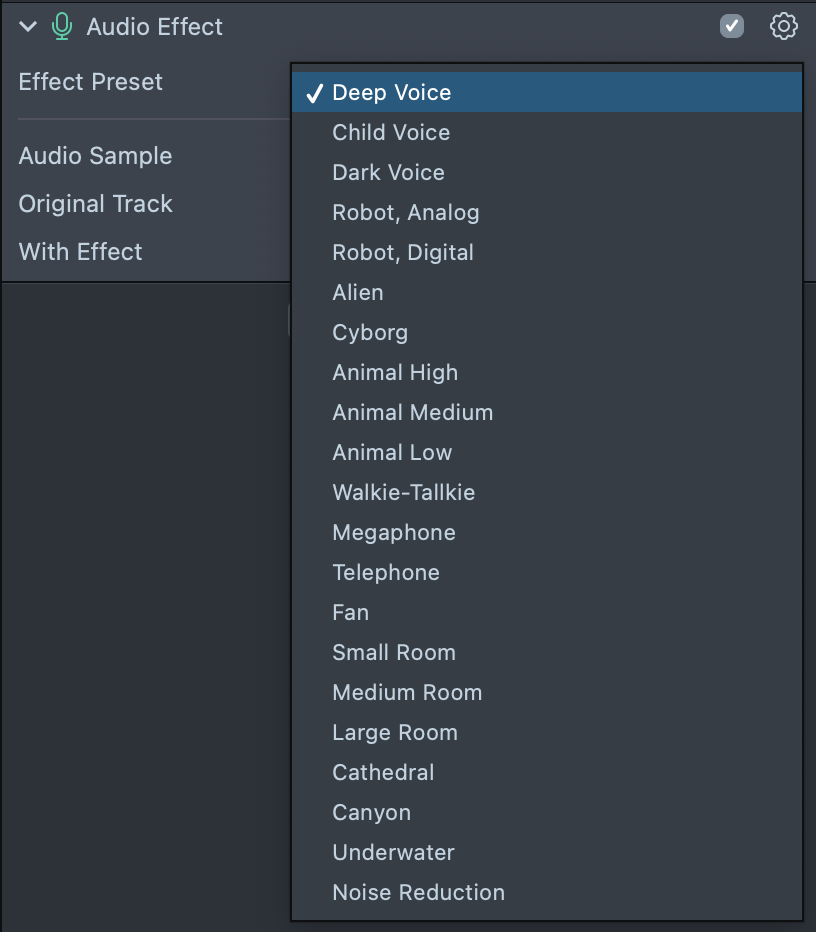
Preview Audio Effects
In the Inspector panel, you can pick from the provided set of audio samples and hear how the sample recording sounds like before and after applying the audio effect.
Additionally, you can send the Lens to your device and record a Snap to hear the resulting audio effect on device. For more information on sending your Lens to device, follow the Pairing to Snapchat guide.
On SPECS, you can't record a Snap to hear the effect on the device yet, because Capture isn't available.