Overview
- Snapchat: fully supported
- SPECS: partially supported
- Camera Kit Web: partially supported
- Camera Kit Mobile: partially supported
- SnapchatFully supported
- SPECSPartially supported
- No friend graph: getAllFriends, getBestFriends, getUsersInCurrentContext and getMyAIUser aren't available, so friends' and My AI's Bitmoji can't load
- Camera Kit WebPartially supported
- Camera Kit MobilePartially supported
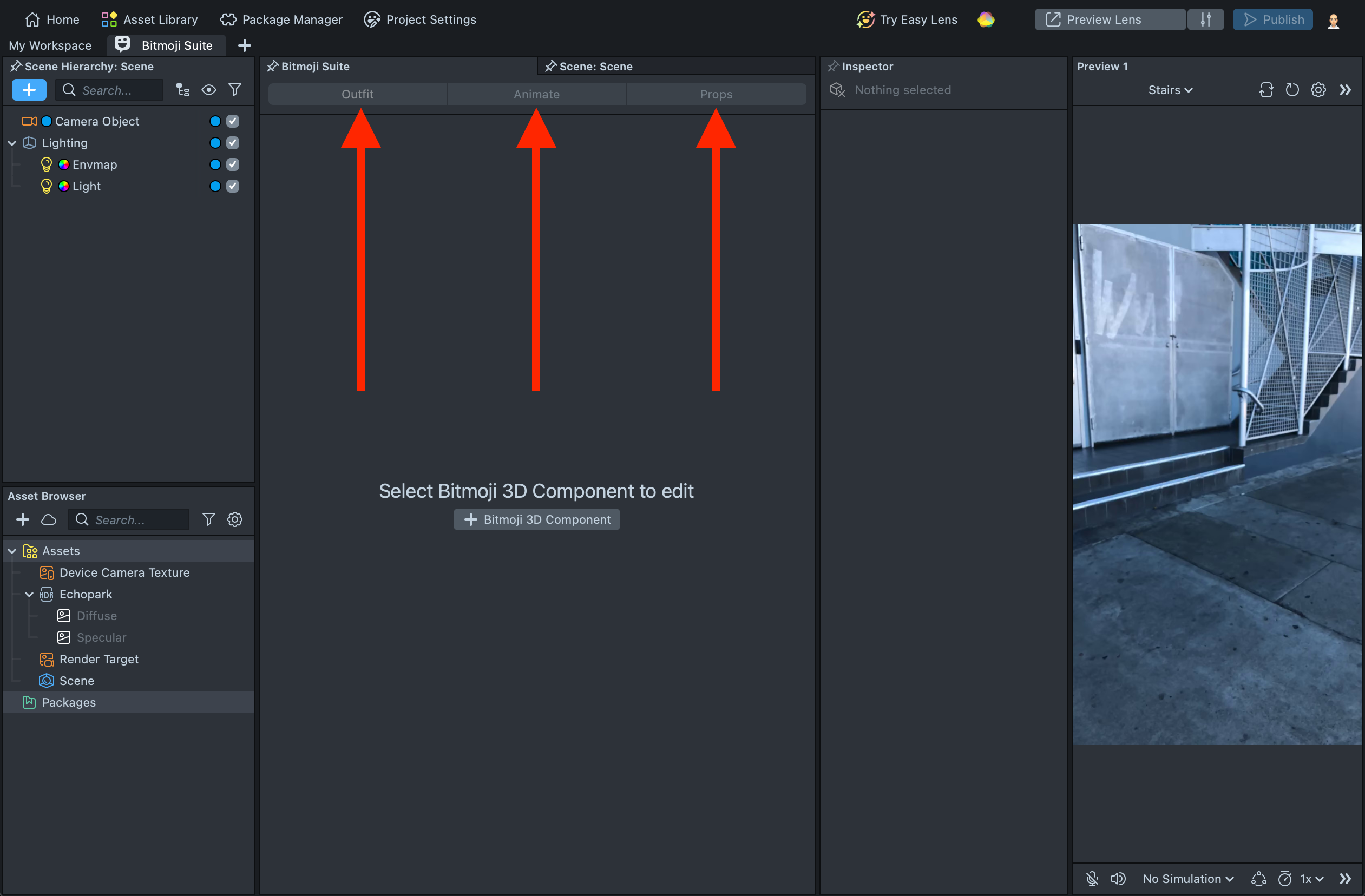
The Bitmoji Suite plugin in Lens Studio revolutionizes how developers can create Lenses with Bitmoji avatar. It enables developers to change the outfits for Bitmoji, generate furniture and other stylized objects for Bitmoji scenes, and also animate - all from within the Bitmoji Suite.
- Outfit: Dress your and your friends avatar with clothing from the Bitmoji fashion library.
- Animate: Choose an animation from the Animation Library and apply it to Bitmoji.
- Props: Add furniture and other objects to a scene by generating from a text prompt. Props are stylized with the Bitmoji look and feel.
When building for SPECS, Outfit dresses the current user's avatar; friends' avatars aren't available.
How to find it
You can open the Bitmoji Suite from 3 entry points:
-
If you already have the Bitmoji Component in the Scene Hierarchy - just double click on it.
-
Go to Workspaces and find the Bitmoji Suite.
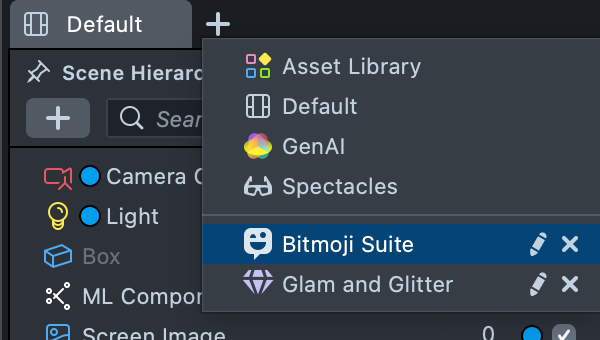
-
Go to the Window tab on the top and find the Bitmoji Suite.
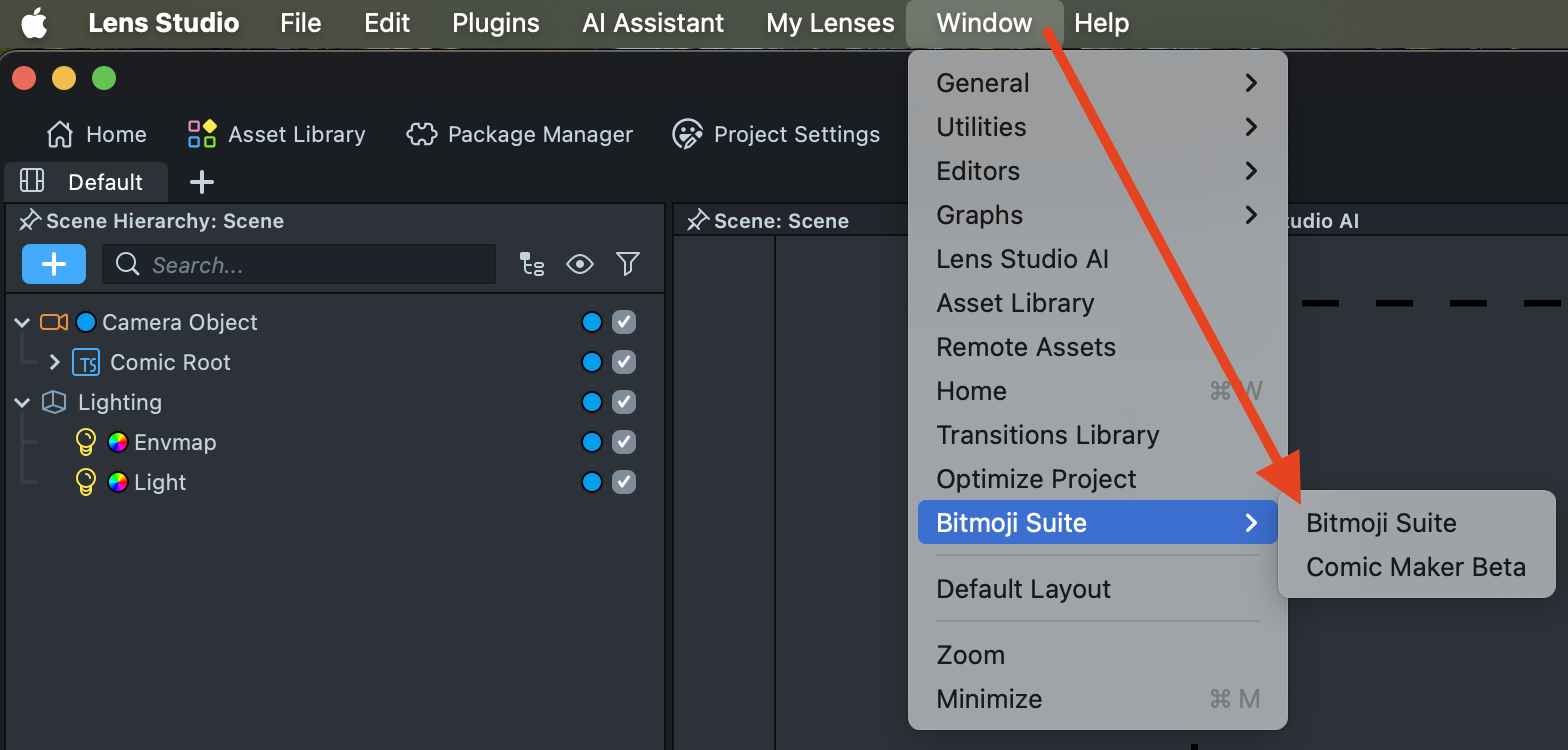
To view your Bitmoji in the Scene panel and interact with it, select Run Scripts in the middle of the Scene panel's toolbar. It's off by default; while scripts run, the button reads Stop Scripts.
