Screen Texture Provider
- Snapchat: fully supported
- SPECS: not supported
- Camera Kit Web: fully supported
- Camera Kit Mobile: fully supported
- SnapchatFully supported
- SPECSNot supported
- Camera Kit WebFully supported
- Camera Kit MobileFully supported
To apply an effect, you can provide the camera image to a shader in two ways: use Device Camera Texture as input, or use a Render Target that was previously filled by some data (possibly with another effect applied).
The main issue comes when you need to move shader/effect under another camera, in this case you will need to reassign all such input textures for the shader.
Screen Texture
To solve the issue we introduce Screen Texture - a resource that is the alias of the current render target.
Shader that uses this texture will automatically implicitly use current render target texture as an input.
For example if user uses Post Effect that uses Screen Texture, it will automatically sample frame buffer state with all data that was submitted prior to it’s (Post Effect) draw-call, such behavior allows to create basic materials/post effect that can be serialized with Screen Texture, and after they added to project they will automatically work, regardless to which Camera/Render target they were added.
Some of effect currently done with multi-pass approach will benefit from this feature as it allows to implement it in a single-pass, like Smoothing.
Usage
You can create Screen Texture by searching it in Asset Browser panel > + > Screen Texture.
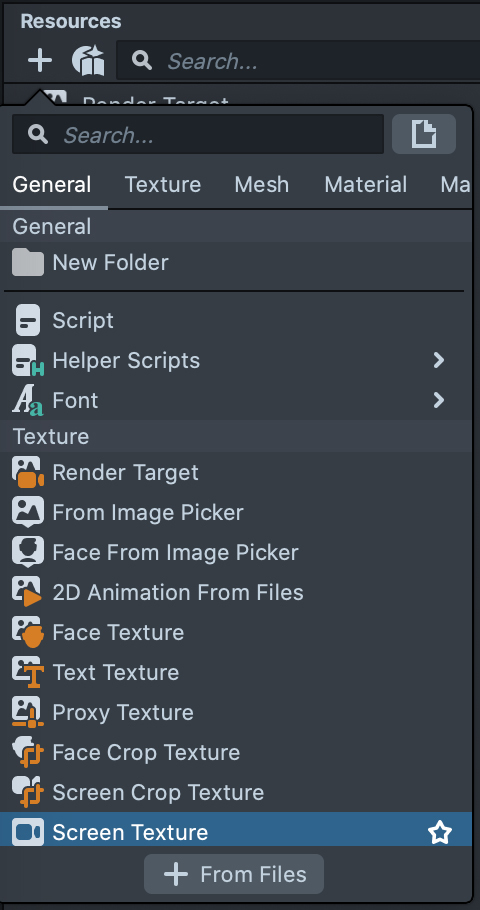
After it's created, you can use it as a regular texture.
In the Inspector panel there are options available for Screen Texture Update Frequency:
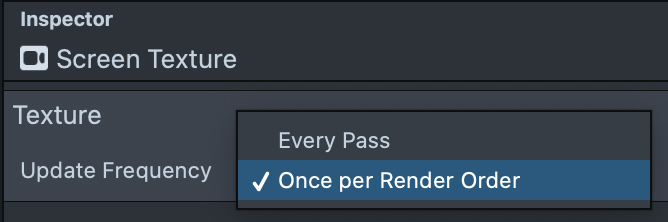
Every Pass is used to guarantee that all previously rendered objects will appear when we read data from Screen Texture next time.
If the Update Frequency sets to Once per Render Order, it will happen only once within render order. (This optimization is less common).