Using Connected Lenses
Launch and join Connected Lens sessions on SPECS to share interactive AR experiences with other users in the same space.
- Snapchat: not supported
- SPECS: fully supported
- Camera Kit Web: not supported
- Camera Kit Mobile: not supported
- SnapchatNot supported
- SPECSFully supported
- Camera Kit WebNot supported
- Camera Kit MobileNot supported
SnapOS provides multiple entry points for Connected Lenses on SPECS. A Connected Lens session can be created or joined from Lens Explorer.
Creating a New Session
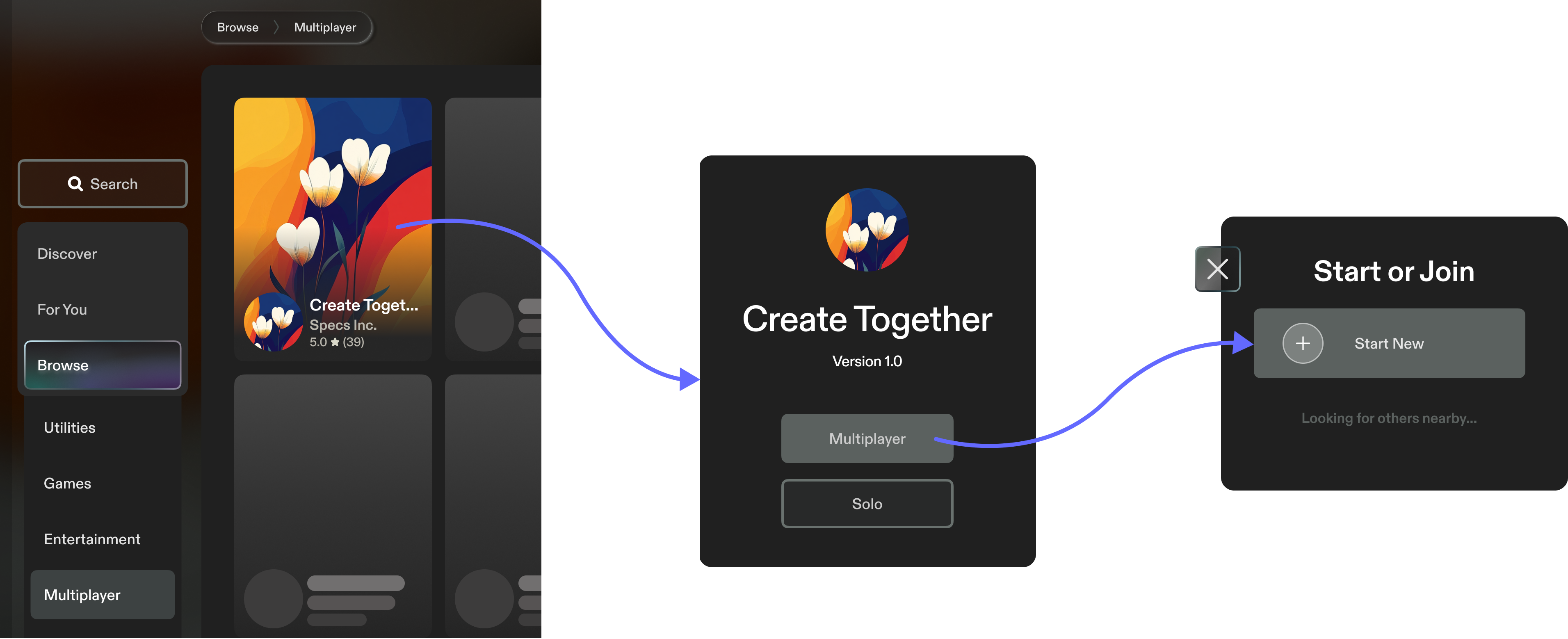
Connected Lenses are available under the Multiplayer section of Lens Explorer. To start a Connected Lenses session, follow these steps:
- Select the Multiplayer category in Lens Explorer.
- Launch your chosen Lens.
- Choose Multiplayer in the Lens UI to open the system dialog for selecting a session.
- Select Start New.
Joining an Existing Session
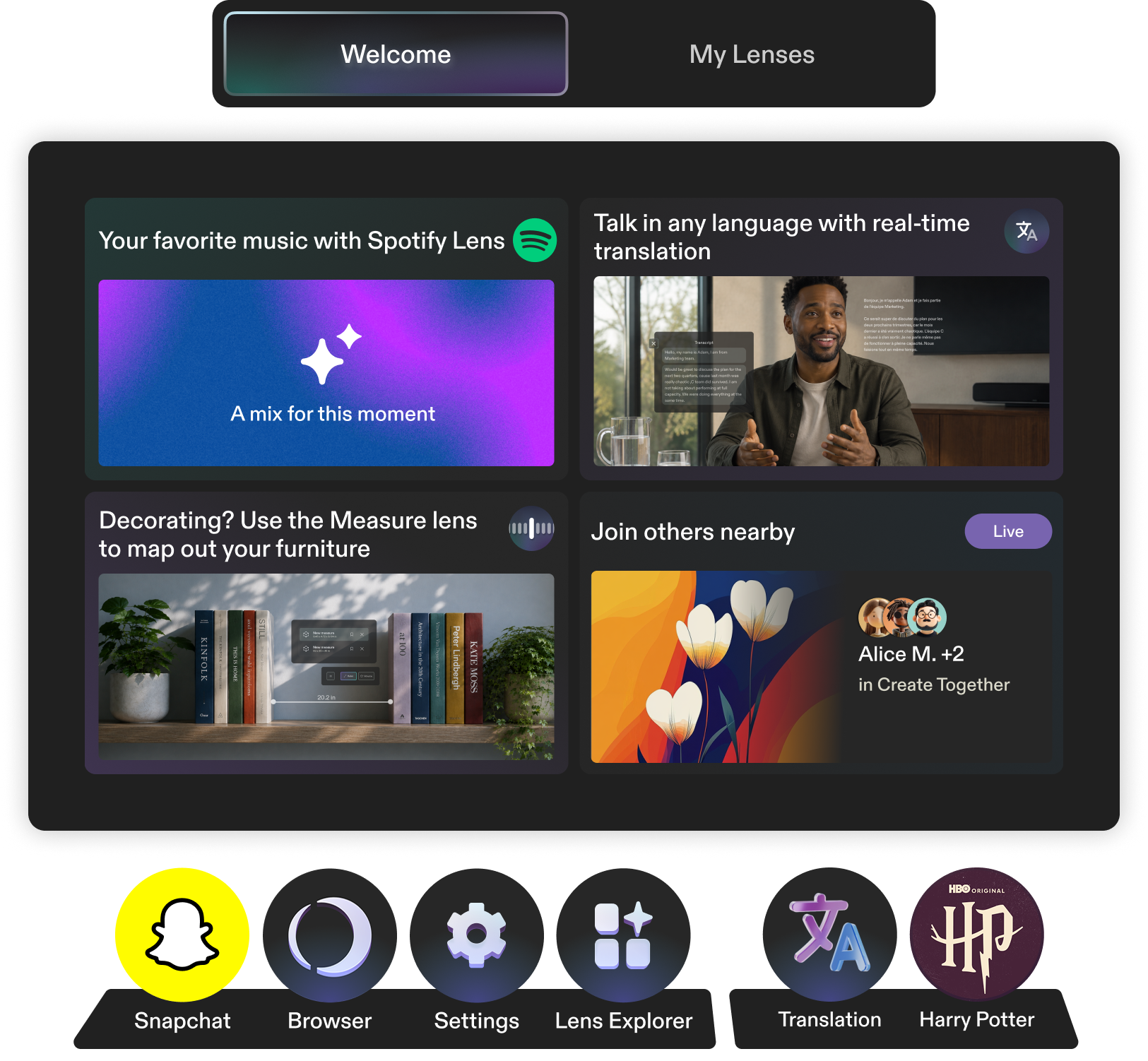
Active Connected Lens sessions can be joined via Home or Lens Explorer.
Home
- The “Join others nearby” tile in Home shows Connected Lenses sessions that are active around you.
- If one session is available, select the tile to join the session. If multiple sessions are available, select the tile to see all sessions in Lens Explorer. Select a session to join from there.
Lens Explorer - For You
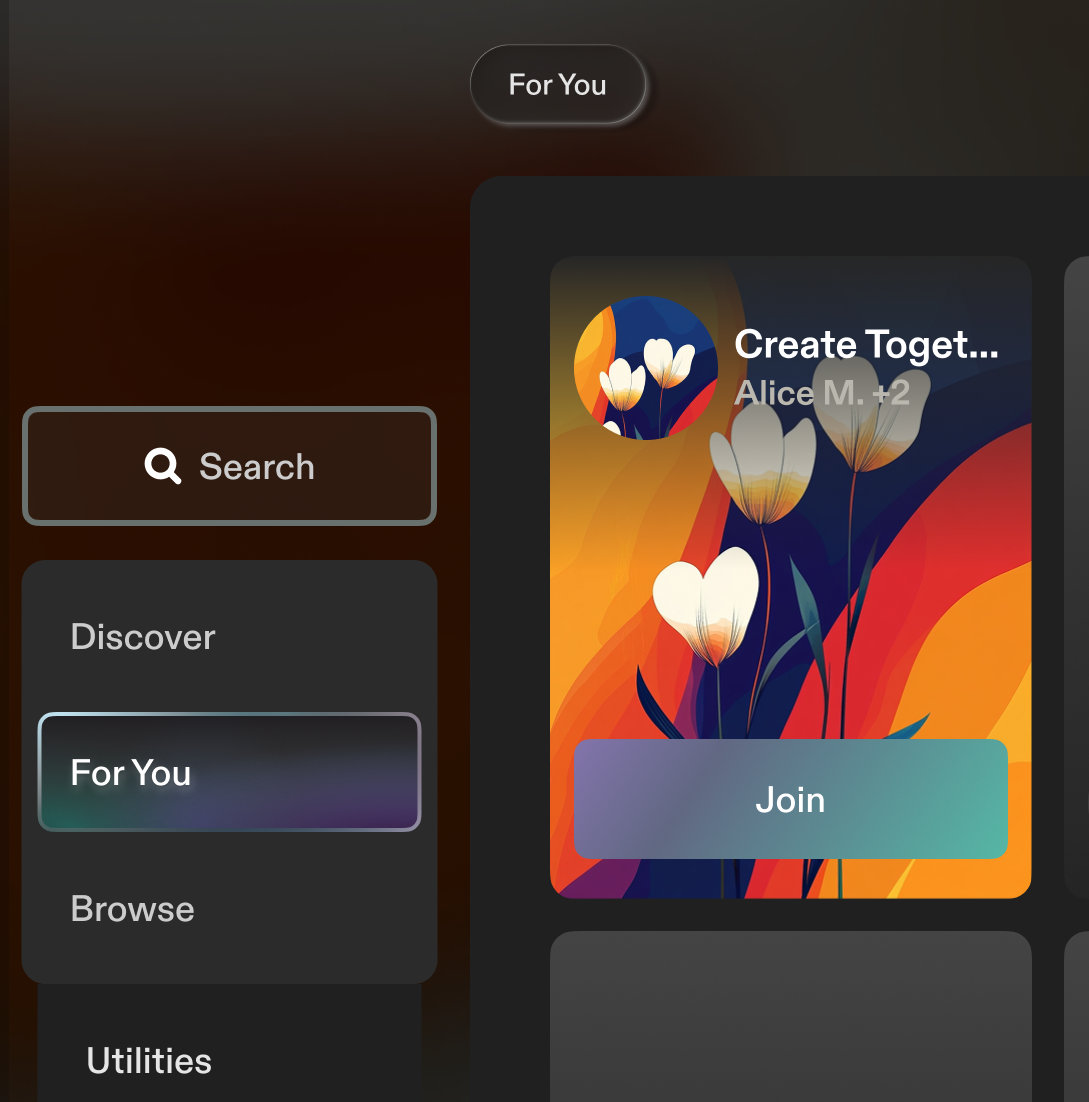
- Select the For You category in Lens Explorer.
- Lens Explorer will show tiles of Connected Lenses sessions that are active around you.
- Select the tile for the Connected Lens session you would like to join.
Lens Entry Point - Multiplayer
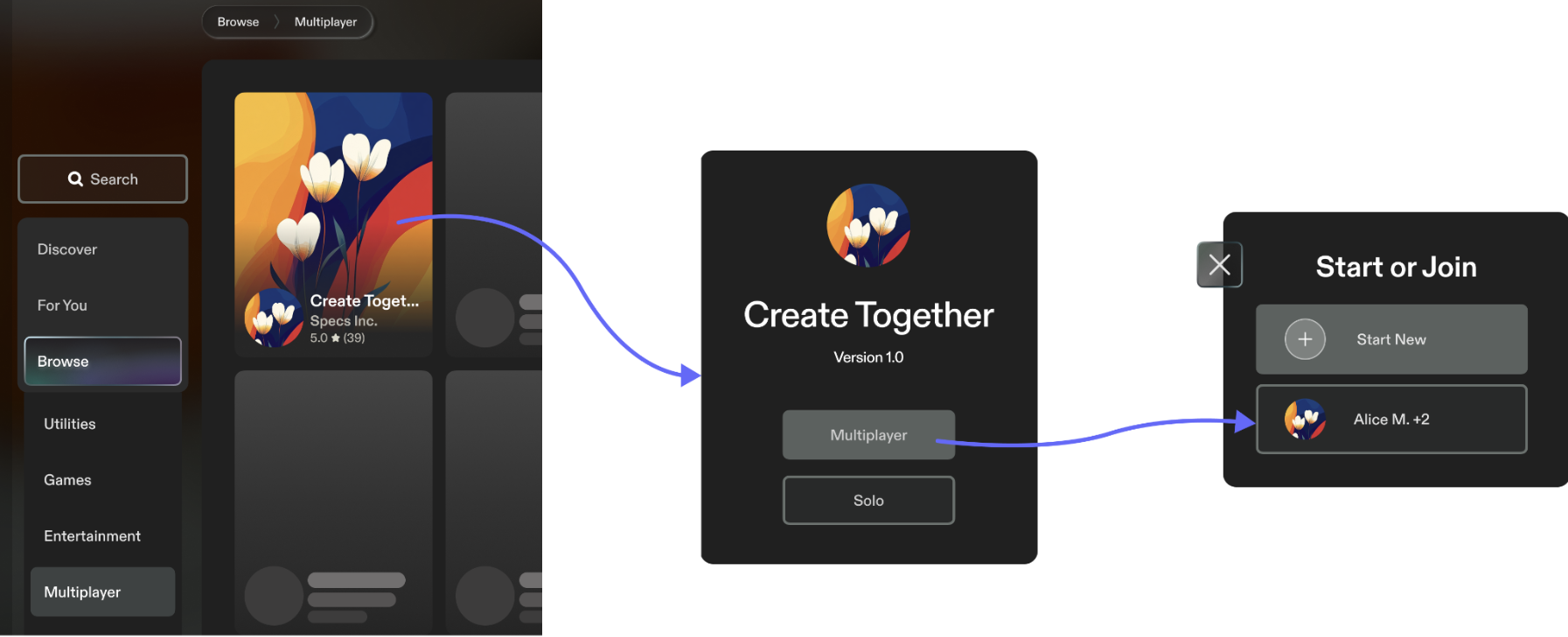
- Launch the same Lens as the person you want to join either from Home or Lens Explorer.
- Choose Multiplayer in the Lens UI to open the system dialog for selecting a session.
- Select the session that shows the people you would like to join.
Establishing a Shared Coordinate Space
Connected Lenses on SPECS are colocated. The first user to join the Lens establishes the shared coordinate space automatically. Subsequent players are guided to look at a friend who has already colocated to align their space with theirs.
Ensure successful colocation by:
- Facing your friend and looking at them head-on
- Standing within 2 meters of the friend you are looking at
- Using adequate lighting to make features of your space detectable
Once you colocate successfully, Connected Lenses session setup is complete.
